NI does not actively maintain this document.
This content provides support for older products and technology, so you may notice outdated links or obsolete information about operating systems or other relevant products.
The NI LabWindows/CVI Run-Time Module for Linux extends the LabWindows/CVI development environment to help developers create high-performance, stable applications on a Windows system and later compile and run these applications on a Linux target.
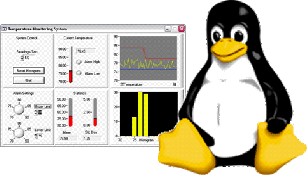
Quickly create multiplatform applications from the familiar LabWindows/CVI integrated development environment and continue to take advantage of a comprehensive ANSI development workspace that incorporates test and measurement-specific libraries, including hardware libraries, comprehensive analysis, and communication and threading utilities.
Tight I/O Integration
Use full-featured hardware drivers to integrate diverse I/O such as analog, digital, dynamic signal acquisition, benchtop instruments, and high-accuracy modular instruments with your Linux applications.
Platform Versatility
Optimize data acquisition, analysis, and presentation components of test and measurement applications while creating code that runs on multiple platforms due to built-in LabWindows/CVI library support and NI driver support for Linux.
While it is not required, it is recommended that you install LabWindows/CVI 8.0 or later on a PC running Microsoft Windows. This allows you to develop your application in the LabWindows/CVI development environment and then copy your project to a PC running Linux, where you have installed the LabWindows/CVI Run-Time Module for Linux. You can then build and run your project on the Linux PC.
The LabWindows/CVI 2013 Run-Time Module for Linux (available Jan 8, 2014) supports the following distributions:
The LabWindows/CVI 2010 Run-Time Module for Linux supports the following distributions:
The LabWindows/CVI 8.0 Run-Time Module for Linux supports the following distributions:
This support is provided for 32-bit, x86 platforms only.
Visit the OS Roadmap to review the distributions supported by NI.
The ANSI C, User Interface, Advanced Analysis, Formatting and I/O, Utility, GPIB, VXI, RS-232, Reconfigurable I/O, TCP Support, and Internet libraries are generally supported on Linux.
The ActiveX, DDE Support, DataSocket, DIAdem Connectivity, .NET, and Easy I/O for DAQ (Traditional DAQ driver) libraries are not supported on Linux.
Library Support
| Windows
| Linux
|
| User Interface Library | X
| X*
|
| Advanced Analysis Library | X
| X
|
| Formatting and I/O Library | X
| X
|
| Utility Library | X
| X*
|
| ANSI C Library | X
| X*
|
| NI-DAQmx Library | X
| X
|
| VXI Library | X
| X
|
| GPIB 488.2 Library | X
| X
|
| RS-232 Library | X
| X*
|
| VISA Library | X
| X
|
| TCP Support Library | X
| X
|
| Internet Library | X
| X
|
| Network Variable Library | X | X |
| UDP Support Library | X | X |
| DDE Support Library | X
|  |
| ActiveX Library | X
| |
| TDM Streaming Library | X | X |
| DIAdem Connectivity Library | X
| |
| .NET Library | X
| |
| Real-Time Utility Library | ||
| DataSocket Library | X
| |
| Programmer’s Toolbox | X
| X
|
X - Fully supported
X* - Generally supported (some functions are not supported or exhibit different behavior)
After installing the LabWindows/CVI Run-Time Module for Linux, refer to the Differences in LabWindows/CVI between Windows and Linux LabWindows/CVI Help topic for a full list of supported libraries and functions.
NI offers more than 200 measurement and control devices for LabWindows/CVI applications running on the Linux platform.
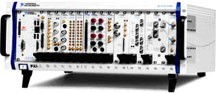
Specifically, NI offers driver software for developing applications with both PXI- and PCI-based modular instruments in Linux. In addition, NI provides support for its popular VXI controllers and NI GPIB bus controllers, and three levels of driver software for developing applications with more than 200 plug-in data acquisition products.
Q: What are the key features of the LabWindows/CVI 2013 Run-Time Module for Linux? (Available Jan 8, 2014)
The LabWindows/CVI Run-Time Module for Linux provides LabWindows/CVI libraries for Linux so you can compile and run LabWindows/CVI applications on Linux. The module does not offer a LabWindows/CVI interactive development environment (IDE) for Linux.
The latest version of the LabWindows/CVI Run-Time Module for Linux includes a new TDMS library for high performance data streaming to disk, over 100 new advanced analysis libraries and new features for customizing UI controls. Users can also take advantage of concurrent builds across multiple cores and support for new distributions of Red Hat, Scientific Linux and OpenSUSE.
Q: Can I port any existing LabWindows/CVI application to Linux?
You can port existing LabWindows/CVI applications to Linux as long as the application does not use any of the unsupported library functions. In general, following a few simple guidelines assures the portability of a LabWindows/CVI application:
After installing the LabWindows/CVI Run-Time Module for Linux, refer to the Building Multiplatform Applications LabWindows/CVI Help topic for tips and guidelines on how to write platform-independent LabWindows/CVI applications.
Q: How do I install the module?
You can install the LabWindows/CVI Run-Time Module for Linux by running the INSTALL script that is provided. The INSTALL script ensures that all software requirements are met. LabWindows/CVI by default is installed under the following locations:
Q: How do I build and run my LabWindows/CVI project?
Once you have developed and sufficiently tested your application on Windows, you must copy your project, including source files, to a Linux machine. You then recompile your files on Linux. Use the cvicc command to build a LabWindows/CVI project or compile a source file.
The following commands are available:
| Command | Action |
| cvicc | Shows the command syntax. Adding -help and -? also displays the command syntax. |
| cvicc project.prj | Builds the release target of project.prj. |
| cvicc project.prj project2.prj | Builds the release targets of project.prj and project2.prj. |
| cvicc file.c | Compiles file.c with default build options. |
| cvicc file.c file2.c | Compiles file.c and file2.c with default build options. |
| cvicc file.c project.prj | Compiles file.c with build options you set for project.prj. file.c does not need to be included in project.prj. project.prj is not built. |
| cvicc file.c file2.c project.prj | Compiles file.c and file2.c with build options you set for project.prj. The source files do not need to be included in project.prj. project.prj is not built. |
You can pass any number of source files to be compiled at one time. You can pass any number of projects to be built at one time. If you specify any number of source files, you can specify only one project file.
The compiler returns 0 if all targets are created successfully. If there is any error creating the target, or the build could not start, the compiler returns -1.
The following additional arguments are available:
| Command | Action |
| -debug | Creates the debuggable version of the target. This argument applies only for building projects. |
| -rebuild | Forces LabWindows/CVI to recompile all source files you specify and all source files in projects you specify. |
| -log logfile | Copies all build output to the logfile you specify. |
| /DDEFINE | Adds more compiler defines to any compiler defines that are set in the project. You can specify multiple defines. |
| -l library | Indicates that the specified library is required by the project. |
| /I path | Adds the specific path to the list of locations that cvicc uses to search include files. |
For more information about the cvicc command, refer to the Building a Linux Application help topic.
Q: How do I debug my LabWindows/CVI application once I have compiled and built it on Linux?
The LabWindows/CVI Run-Time Module for Linux does not include an IDE for Linux. Instead, you should compile your LabWindows/CVI application with cvicc using the debug switch. You can then use any of the debugging tools that are available on Linux like ddd or gdb to debug your application.
Q: Where is the documentation installed on Linux?
The readme.txt is installed under <installdir>/natinst/cvi2013. The readme provides installation instructions as well as information about building LabWindows/CVI projects and known issues. Use a Web browser to view the LabWindows/CVI Run-Time Module for Linux Help at <InstallDir>/natinst/cvi2013/help/index.htm. The documentation includes a reference for supported functions on Linux.
Q: Where can I purchase the LabWindows/CVI Run-Time Module for Linux?
The LabWindows/CVI Run-Time Module for Linux is no longer sold.
Q: Do I need to purchase run-time licenses for every LabWindows/CVI Linux application I deploy?
You do not need additional deployment licenses for distributing applications that were created using the LabWindows/CVI Run-Time Module for Linux.
LabWindows/CVI continues a history of innovation with the new LabWindows/CVI Run-Time Module for Linux that helps ANSI C programmers create stable test and measurement applications that run on Windows and Linux targets using a variety of commercial off-the-shelf (COTS) hardware.
The mark LabWindows is used under a license from Microsoft Corporation. Windows is a registered trademark of Microsoft Corporation in the United States and other countries.
Linux® is the registered trademark of Linus Torvalds in the U.S. and other countries. Tux penguin is courtesy of Larry Ewing.
