Math Interface Toolkit Video Demonstration
Introduction
The LabVIEW Math Interface Toolkit easily integrates LabVIEW VIs into The MathWorks, Inc. MATLAB® environment, providing a better means of collaboration for development teams working in both LabVIEW and the MATLAB software environment. Using the Math Interface Toolkit, MATLAB software users can take full advantage directly from the MATLAB environment of LabVIEW’s powerful I/O connectivity, graphical user interface, and over 2000 native functions.
The Math Interface Toolkit connects the two systems by compiling fully-developed LabVIEW applications into MEX-files. MEX-files are DLLs built with a specific structure and entry point that the MATLAB software environment can recognize. These functions behave like native MATLAB functions and enable you to extend the capabilities of the MATLAB software environment. Because LabVIEW is a complete programming language, you easily can compile any LabVIEW VI into a DLL and customize the DLL for use as a MEX-function. Additionally, the resulting MEX-function retains all of the functionality of the original LabVIEW VI, including the user interface.
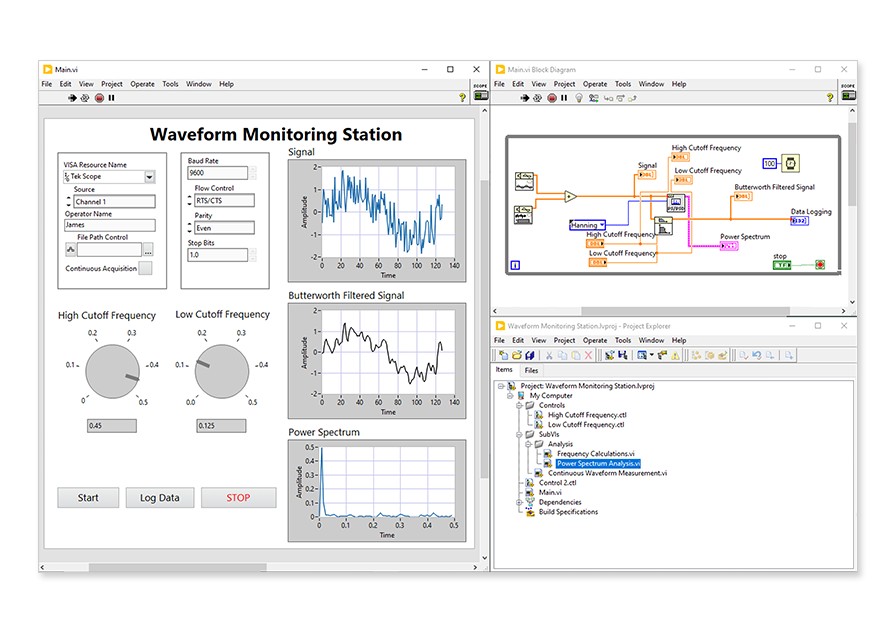
LabVIEW includes Express VIs that enable you to configure complex programming tasks with only a few mouse clicks. Tasks such as data acquisition, instrument connectivity, and signal analysis are made simple, even for the LabVIEW beginner. This example walks through development of a LabVIEW application and shows how you can use the Math Interface Toolkit to prepare it for use within the MATLAB software environment. The LabVIEW application uses the DAQ Assistant Express VI to perform a continuous, buffered acquisition from channel 1 of a PCI data acquisition card. Channel 1 reads a sine wave. After acquiring the signal with LabVIEW, you can use any of the over 600 LabVIEW Analysis VIs to analyze the signal further. In this example, the Spectral Measurements Express VI calculates the FFT-based Power Spectrum of the input signal. Finally, the Write to LabVIEW Measurements File Express VI logs the raw data to an ASCII file. The system setup is shown below.
MATLAB® is a registered trademark of The MathWorks, Inc.
| Fast Connection | Slow Connection |
Download the FREE Windows Media Player to view the demonstration.
Related Links:
Learn About LabVIEW
NI LabVIEW Math Interface Toolkit
NI LabVIEW Simulation Interface Toolkit
Reader Comments | Submit a comment »
Legal
This tutorial (this "tutorial") was developed by National Instruments ("NI"). Although technical support of this tutorial may be made available by National Instruments, the content in this tutorial may not be completely tested and verified, and NI does not guarantee its quality in any way or that NI will continue to support this content with each new revision of related products and drivers. THIS TUTORIAL IS PROVIDED "AS IS" WITHOUT WARRANTY OF ANY KIND AND SUBJECT TO CERTAIN RESTRICTIONS AS MORE SPECIFICALLY SET FORTH IN NI.COM'S TERMS OF USE (http://ni.com/legal/termsofuse/unitedstates/us/).