Academic Company Events NI Developer Zone Support Solutions Products & Services Contact NI MyNI

Document Type: Tutorial
NI Supported: Yes
Publish Date: Feb 15, 2007


Feedback


Yes No

Related Categories

Products

Related Links - Developer Zone

Related Links - Products and Services

Introduction to Data Acquisition

164 ratings | 4.32 out of 5
Read in | Print | PDF

Overview

This tutorial is part of the National Instruments Measurement Fundamentals series. Each tutorial in this series, will teach you a specific topic of common measurement applications, by explaining the theory and giving practical examples. This tutorial gives an introduction to the basic elements of a computer-based data acquisition system.

For the complete list of tutorials, return to the NI Measurement Fundamentals Main page.

Introduction


Data acquisition involves gathering signals from measurement sources and digitizing the signal for storage, analysis, and presentation on a PC. Data acquisition (DAQ) systems come in many different PC technology forms for great flexibility when choosing your system. Scientists and engineers can choose from PCI, PXI, PCI Express, PXI Express, PCMCIA, USB, IEEE 1394, parallel, or serial ports for data acquisition in test, measurement, and automation applications. There are five components to be considered when building a basic DAQ system (Figure 1):
· Transducers and sensors
· Signals
· Signal conditioning
· DAQ hardware
· Driver and application software


Figure 1. Data Acquisition System

This document describes each of the five elements in a DAQ system and gives a basic introduction to data acquisition.

Transducers


Data acquisition begins with the physical phenomenon to be measured. This physical phenomenon could be the temperature of a room, the intensity of a light source, the pressure inside a chamber, the force applied to an object, or many other things. An effective DAQ system can measure all of these different phenomena.

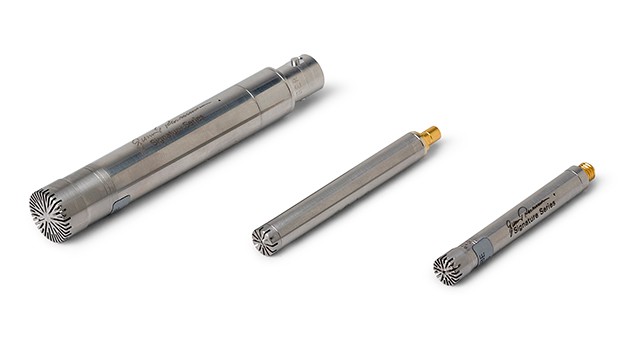
A transducer is a device that converts a physical phenomenon into a measurable electrical signal, such as voltage or current. The ability of a DAQ system to measure different phenomena depends on the transducers to convert the physical phenomena into signals measurable by the DAQ hardware. Transducers are synonymous with sensors in DAQ systems. There are specific transducers for many different applications, such as measuring temperature, pressure, or fluid flow. Figure 2 shows a short list of some common transducers and the phenomena they can measure.


[+] Enlarge Image
Figure 2. Phenomena and Existing Transducers

Different transducers have different requirements for converting phenomena into a measurable signal. Some transducers may require excitation in the form of voltage or current. Other transducers may require additional components and even resistive networks to produce a signal. Refer to ni.com/sensors for more information on transducers.

Signals


The appropriate transducers convert physical phenomena into measurable signals. However, different signals need to be measured in different ways. For this reason, it is important to understand the different types of signals and their corresponding attributes. Signals can be categorized into two groups:

· Analog
· Digital


Analog Signals

An analog signal can be at any value with respect to time. A few examples of analog signals include voltage, temperature, pressure, sound, and load. The three primary characteristics of an analog signal include level, shape, and frequency (Figure 3).


Figure 3. Primary Characteristics of an Analog Signal

Level
Because analog signals can take on any value, the level gives vital information about the measured analog signal. The intensity of a light source, the temperature in a room, and the pressure inside a chamber are all examples that demonstrate the importance of the level of a signal. When measuring the level of a signal, the signal generally does not change quickly with respect to time. The accuracy of the measurement, however, is very important. A DAQ system that yields maximum accuracy should be chosen to aid in analog level measurements.

Shape
Some signals are named after their specific shape - sine, square, sawtooth, and triangle. The shape of an analog signal can be as important as the level, because by measuring the shape of an analog signal, you can further analyze the signal, including peak values, DC values, and slope. Signals where shape is of interest generally change rapidly with respect to time, but system accuracy is still important. The analysis of heartbeats, video signals, sounds, vibrations, and circuit responses are some applications involving shape measurements.

Frequency
All analog signals can be categorized by their frequency. Unlike the level or shape of the signal, frequency cannot be directly measured. The signal must be analyzed using software to determine the frequency information. This analysis is usually done using an algorithm known as the Fourier transform.

When frequency is the most important piece of information, it is important to consider including both accuracy and acquisition speed. Although the acquisition speed for acquiring the frequency of a signal is less than the speed required for obtaining the shape of a signal, the signal must still be acquired fast enough that the pertinent information is not lost while the analog signal is being acquired. The condition that stipulates this speed is known as the Nyquist Sampling Theorem. Speech analysis, telecommunication, and earthquake analysis are some examples of common applications where the frequency of the signal must be known.


Digital Signals

A digital signal cannot take on any value with respect to time. Instead, a digital signal has two possible levels: high and low. Digital signals generally conform to certain specifications that define characteristics of the signal. Digital signals are commonly referred to as transistor-to-transistor logic (TTL). TTL specifications indicate a digital signal to be low when the level falls within 0 to 0.8 V, and the signal is high between 2 to 5 V. The useful information that can be measured from a digital signal includes the state and the rate (Figure 4).


Figure 4. Primary Characteristics of a Digital Signal

State
Digital signals cannot take on any value with respect to time. The state of a digital signal is essentially the level of the signal - on or off, high or low. Monitoring the state of a switch - open or closed - is a common application showing the importance of knowing the state of a digital signal.

Rate
The rate of a digital signal defines how the digital signal changes state with respect to time. An example of measuring the rate of a digital signal includes determining how fast a motor shaft spins. Unlike frequency, the rate of a digital signal measures how often a portion of a signal occurs. A software algorithm is not required to determine the rate of a signal.

Signal Conditioning


Sometimes transducers generate signals too difficult or too dangerous to measure directly with a DAQ device. For instance, when dealing with high voltages, noisy environments, extreme high and low signals, or simultaneous signal measurement, signal conditioning is essential for an effective DAQ system. Signal conditioning maximizes the accuracy of a system, allows sensors to operate properly, and guarantees safety.

It is important to select the right hardware for signal conditioning. Signal conditioning is offered in both modular and integrated forms (Figure 5). Signal conditioning accessories can be used in a variety of applications including:

· Amplification
· Attenuation
· Isolation
· Bridge completion
· Simultaneous sampling
· Sensor excitation
· Multiplexing

Other important criteria to consider with signal conditioning include packaging (modular versus integrated), performance, I/O count, advanced features, and cost. Use online tools at ni.com/signalconditioning to configure the best signal conditioning solution for your application. 

Figure 5. Signal Conditioning Hardware Options

DAQ Hardware


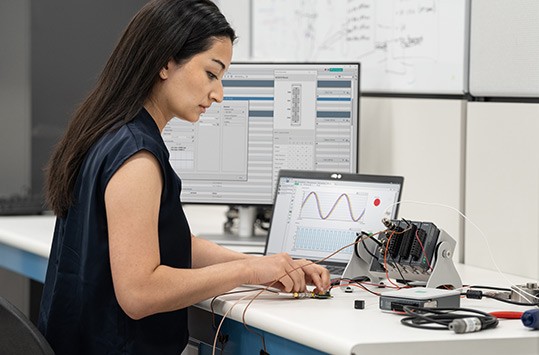
DAQ hardware acts as the interface between the computer and the outside world. It primarily functions as a device that digitizes incoming analog signals so that the computer can interpret them. Other data acquisition functionality includes:

· Analog Input/Output
· Digital Input/Output
· Counter/Timers
· Multifunction - a combination of analog, digital, and counter operations on a single device

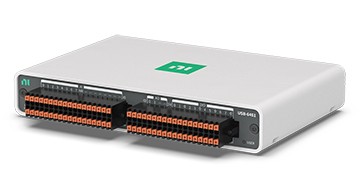
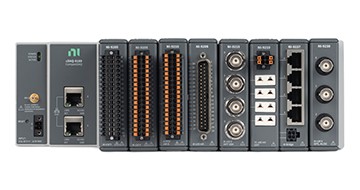
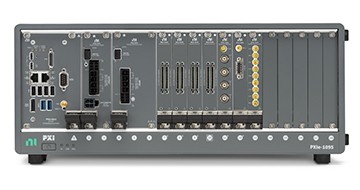
National Instruments offers several hardware platforms for data acquisition. The most readily available platform is the desktop computer. National Instruments offers PCI DAQ boards that plug into any desktop computer. In addition, NI makes DAQ modules for PXI/CompactPCI, a more rugged modular computer platform specifically for measurement and automation applications. For distributed measurements, the National Instruments Compact FieldPoint platform delivers modular I/O, embedded operation, and Ethernet communication. For portable or handheld measurements, National Instruments DAQ devices for USB and PCMCIA work with laptops or PocketPC PDAs (Figure 6). In addition, National Instruments has recently launched DAQ devices for PCI Express, the next generation PC I/O bus and for PXI Express, the high performance PXI bus.
 

Figure 6. DAQ Hardware Options

Driver and Application Software


Driver Software

Software transforms the PC and the DAQ hardware into a complete data acquisition, analysis, and presentation tool. Without software to control or drive the hardware, the DAQ device will not work properly. Driver software is the layer of software for easily communicating with the hardware. It forms the middle layer between the application software and the hardware. Driver software also prevents a programmer from having to do register-level programming or complicated commands in order to access the hardware functions. National Instruments offers two different software options:

· NI-DAQmx driver and additional measurement services software
· NI-DAQmx Base driver software

With the introduction of NI-DAQmx, National Instruments revolutionized DAQ application development by greatly increasing the speed at which you can move from building a program to deploying a high-performance measurement application. DAQ Assistant, included with NI-DAQmx, is a graphical, interactive guide for configuring, testing, and acquiring measurement data. With a single click, you can even generate code based on your configuration, making it easier and faster to develop complex operations. Because DAQ Assistant is completely menu-driven, you will make fewer programming errors and drastically decrease the time from setting up your DAQ system to taking your first measurement.

NI-DAQmx Base offers a subset of NI-DAQmx functionality on Windows and Linux, as well as Mac OS X and Pocket PC OSs.

Application Software

The application layer can be either a development environment in which you build a custom application that meets specific criteria, or it can be a configuration-based program with preset functionality. Application software adds analysis and presentation capabilities to driver software. To choose the right application software, evaluate the complexity of the application, the availability of configuration-based software that fits the application, and the amount of time available to develop the application. If the application is complex or there is no existing program, use a development environment.

NI offers three development environment software products for developing complete instrumentation, acquisition, and control applications:

· LabVIEW with graphical programming methodology
· LabWindows™/CVI™ for traditional C programmers
· Measurement Studio for Visual Basic, C++, and .NET

With the introduction of NI SignalExpress, NI has introduced a configuration-based software environment where programming is no longer a requirement. Using NI SignalExpress, you can make interactive measurements with NI Express Technology.

Additionally, all products can be augmented with add-on toolkits for special functionality.

Relevant NI Products


Customers interested in this topic were also interested in the following NI products:

For more tutorials, return to the NI Measurement Fundamentals Main page.
Related Links:
Interactive White Paper: Measurement-Ready DAQ Systems
Tutorial: Data Acquisition Fundamentals
Tutorial: Signal Conditioning Fundamentals for Computer-Based Data Acquisition Systems
164 ratings | 4.32 out of 5
Read in | Print | PDF

Reader Comments | Submit a comment »

Clicking problem fixed.
Thank you for your feedback. The links in the TOC are fixed.
- Efrat Strassberg, National Instruments. efrat.strassberg@ni.com - Nov 6, 2006

Good information + Clicking problem
I like the way the information has been presented. Easy to read and understand. However, I found that if you click on the links at the top of the page 'Signal' or 'Signal Conditioning' etc, it does not take you that section. It takes you to the previous section.
- Jayanth Sankar, Vermeer Manufacturing. jayanths@umich.edu - Nov 4, 2006

Please fix this typo: "When frequency is the most important piece of information, it is important to consider include both accuracy and acquisition speed"
- Krishnaj Gourab, Marquette university. gourab1@gmail.com - Oct 8, 2006

Typo Fixed
NI-DAQmx most certainly has increased and not decreased the speeds at which scientists and engineers can now deploy DAQ systems. The typo is now fixed. Thanks for the feedback. Jared Aho Product Marketing Manager National Instruments
- Jared Aho, National Instruments. jared.aho@ni.com - Sep 26, 2005

Typo
I hope "reducing the speed" in the following sentence was a typo. :) "With the introduction of NI-DAQmx, National Instruments revolutionized DAQ application development by greatly reducing the speed at which you can move from building a program to deploying a high- performance measurement application."
- Matt Beck, Stirling Cycles. mattb@idealab.com - Jul 17, 2005


Legal
This tutorial (this "tutorial") was developed by National Instruments ("NI"). Although technical support of this tutorial may be made available by National Instruments, the content in this tutorial may not be completely tested and verified, and NI does not guarantee its quality in any way or that NI will continue to support this content with each new revision of related products and drivers. THIS TUTORIAL IS PROVIDED "AS IS" WITHOUT WARRANTY OF ANY KIND AND SUBJECT TO CERTAIN RESTRICTIONS AS MORE SPECIFICALLY SET FORTH IN NI.COM'S TERMS OF USE (http://ni.com/legal/termsofuse/unitedstates/us/).