From Friday, April 19th (11:00 PM CDT) through Saturday, April 20th (2:00 PM CDT), 2024, ni.com will undergo system upgrades that may result in temporary service interruption.
We appreciate your patience as we improve our online experience.
From Friday, April 19th (11:00 PM CDT) through Saturday, April 20th (2:00 PM CDT), 2024, ni.com will undergo system upgrades that may result in temporary service interruption.
We appreciate your patience as we improve our online experience.
This application note outlines how to use the TDM OpenOffice.org Add-In tool to load NI *.TDM and *.TDMS files into OpenOffice.org Calc.
To download and install the Add-In go to the TDM OpenOffice.org Add-In Download Page
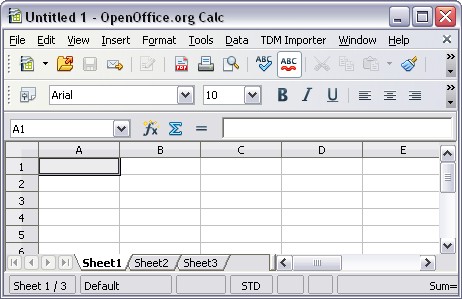
Operation: Once installed, launch Calc, and you will see the "TDM Importer" menu in the toolbar.
Loading TDM files into Calc: Simply click on "TDM Importer", and select "Import a TDM File". This launches a file open dialog where you select which TDM file you wish to open.
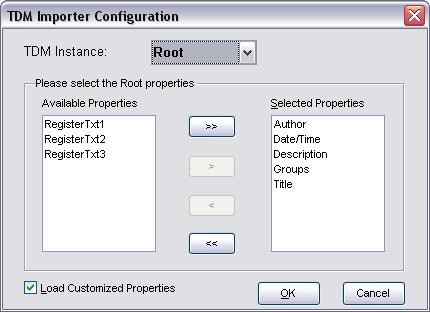
Configuring the TDM Calc Add-In: You can choose which properties are loaded into Calc at the root, group and channel levels, including custom properties. To launch the configuration dialog pictured below, select "Configure TDM Importer" from the "TDM Importer" menu.
Additional Information:
Related Links: