Academic Company Events NI Developer Zone Support Solutions Products & Services Contact NI MyNI

Document Type: Tutorial
NI Supported: Yes
Publish Date: Oct 3, 2008


Feedback


Yes No

Related Links - Developer Zone

Related Links - Products and Services

Building Real-Time Systems with Distributed I/O

1 ratings | 5.00 out of 5
Read in | Print

Overview

This paper discusses the design of real-time deployment systems with distributed I/O. National Instruments introduces the NI 9144 expansion chassis for NI CompactRIO and programmable automation controller (PAC) systems over deterministic Ethernet. Combined with the power of LabVIEW Real-Time, this 8-slot chassis for C Series modules provides an easy solution for deterministic distributed I/O.

Introduction

What happens when you try to design distributed I/O into your time-critical control system? First is the question of how to add the I/O without losing the determinism of the existing real-time system. Without a time-critical communication protocol, you may try to synchronize multiple real-time controllers using shared clocks or hardware triggers via digital I/O modules. But as more and more controllers are added, the complexity of this synchronization workaround becomes time-consuming and unwieldy, especially if all you need is the distributed I/O. 


Figure 1. Complex solution for adding deterministic distributed I/O.

An ideal solution involves using a high-speed, deterministic communication protocol to pass data from the distributed I/O nodes while using the same, consistent NI hardware and software platform.

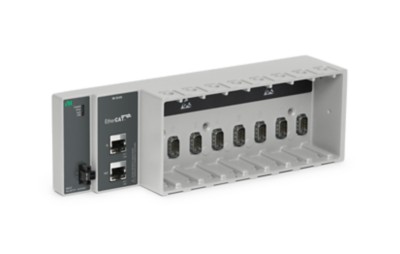
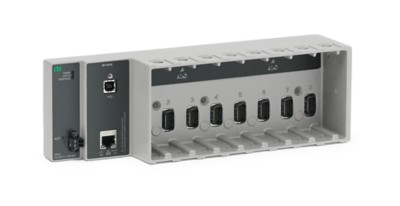
NI 9144 Expansion Chassis

The NI 9144 expansion chassis adds deterministic Ethernet I/O to your NI CompactRIO or PAC system. This 8-slot rugged chassis for C Series modules communicates deterministically over an open, real-time Ethernet protocol called EtherCAT®. You may use any existing NI cRIO-9074 or PXI system with an NI PXI-8231/8232 gigabit Ethernet interface as the master controller for the distributed system. Then you may daisy chain multiple NI 9144 slave chassis from the master controller to expand your time-critical applications. 


Figure 2. NI real-time system with distributed I/O.

The NI 9144 is an industrial-grade chassis designed for extreme ruggedness, reliability, and a wide -40 to 70 °C operating range. To customize your measurement and control system, select from more than 30 analog and digital C Series modules. Plus, the software configuration and LabVIEW programming experience has been designed for ease of use when adding real-time expansion I/O.


Figure 3. NI 9144 expansion chassis for C Series modules.

Related Links:
NI 9144 Expansion Chassis under the Hood

Flexibility with C Series I/O Modules

Because the NI 9144 chassis is a modular expansion system, you have the flexibility to incorporate more measurement types and channels by plugging in additional I/O modules. Plus, attaching another expansion chassis adds even more module slots for your system. Not only are all I/O modules automatically synchronized in each chassis, but all the expansion chassis in the network are synchronized with each other as well.

All C Series modules for single-point analog and digital I/O are supported, giving you direct connectivity with a wide variety of sensors and actuators. Each module contains built-in signal conditioning and isolation for extended voltage ranges and industrial signal types, such as thermocouples, resistance, voltage, current, strain, and accelerometers. Like the 9144 chassis, all modules are UL tested and operate in industrial temperature and shock environments. In addition, C Series I/O modules are reusable in other NI hardware platforms, such as embedded CompactRIO, USB CompactDAQ, and Wi-Fi data acquisition.


Figure 4. C Series modules that include sensor-specific connectors with built-in signal conditioning and A/D converters.

Related Links:
C Series Family Video

Ease of Use with LabVIEW Real-Time

With the introduction of LabVIEW 8.6 Real-Time, you can easily add deterministic expansion I/O into a graphical programming environment. The out-of-box experience for the NI 9144  involves installing the NI-Industrial Communications for EtherCAT driver on your NI master controller, and then LabVIEW automatically recognizes all connected slaves and their modules. LabVIEW also provides I/O Variables, which give you instant access to the physical I/O values using a simple drag-and-drop. With I/O forcing and live test panels, you can use I/O Variables to monitor system performance and perform advanced troubleshooting. To learn more about the LabVIEW technology behind the I/O Variable, visit the links below.


Figure 5. Dropping NI 9144 I/O Variables onto a LabVIEW VI.

Related Links:
Introduction to CompactRIO Scan Mode
Getting Started with Deterministic Distributed I/O

1 ratings | 5.00 out of 5
Read in | Print

Reader Comments | Submit a comment »


Legal
This tutorial (this "tutorial") was developed by National Instruments ("NI"). Although technical support of this tutorial may be made available by National Instruments, the content in this tutorial may not be completely tested and verified, and NI does not guarantee its quality in any way or that NI will continue to support this content with each new revision of related products and drivers. THIS TUTORIAL IS PROVIDED "AS IS" WITHOUT WARRANTY OF ANY KIND AND SUBJECT TO CERTAIN RESTRICTIONS AS MORE SPECIFICALLY SET FORTH IN NI.COM'S TERMS OF USE (http://ni.com/legal/termsofuse/unitedstates/us/).